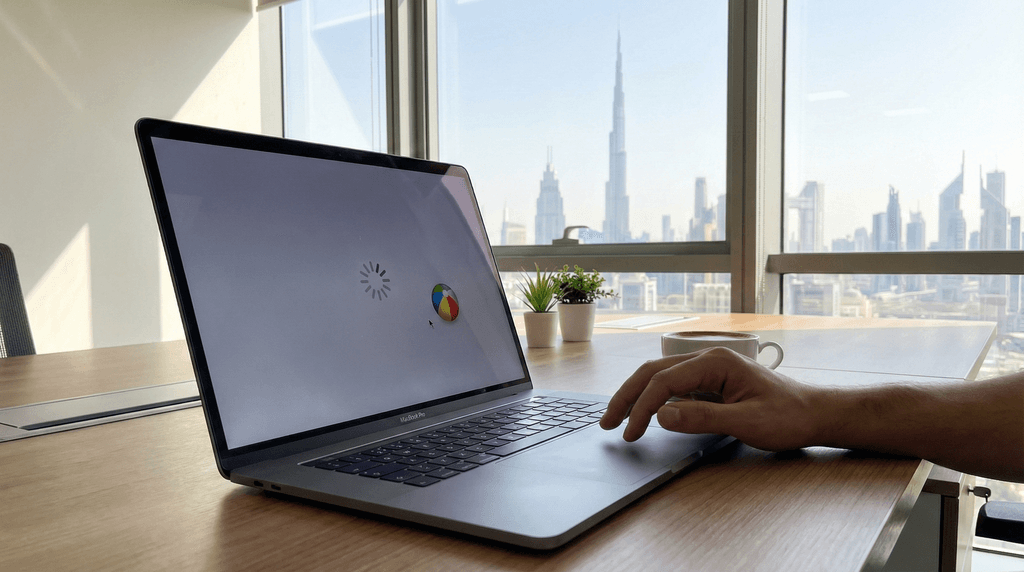
Imagine wrapping up a big client proposal at 11 PM, and your MacBook decides that right now is a great time to freeze. Or you install a macOS update and suddenly your Wi-Fi vanishes. Sound familiar? You are not alone — macOS issues are more common than Apple’s sleek marketing suggests, and here in the UAE, the heat and dust don’t help either.
This guide walks you through the most common macOS problems, practical fixes you can try yourself, and the clear signs it’s time to call in a repair professional. Whether you are running a MacBook Air in Dubai or a MacBook Pro in Ajman, this is the laptop repair knowledge you didn’t know you needed.
Why macOS Issues Are More Common Than You Think
macOS issues can range from the installer not downloading completely or installing properly, to your Mac being slow after an update, Wi-Fi or Bluetooth not working, or apps crashing when you try to run them. These problems tend to spike whenever Apple rolls out a major update — and millions of users hit the same walls at once.
Mac troubleshooting involves addressing problems such as slow device performance, application crashes, or connectivity issues, checking system settings, running diagnostic tools, and examining system logs to pinpoint and resolve the underlying causes of issues. The good news: most of these problems follow predictable patterns, which means there are proven fixes.
The 5 Most Common macOS Problems (and How to Fix Them)
1. Mac Running Slow After an Update
This is the number one complaint after any macOS update, especially on older hardware. It’s fairly common for your Mac to be a little bit slower after a macOS update, particularly if it’s at the older end of the range of compatible machines.
What you can try:
- Ensure you have at least 20 GB of free storage, as macOS needs some breathing space.
- Clear out your Downloads, Movies, and Pictures folders. Also visit the Library folder and delete log, temp, and cache files.
- Check Activity Monitor (Applications > Utilities) for any rogue process eating your CPU.
If the slowness persists for more than a week after a fresh update, something deeper may be going on — either a software conflict or an ageing SSD that needs attention.
2. Wi-Fi Drops or Won’t Connect
Wi-Fi network or connectivity issues suddenly pop up after updating macOS. Try this troubleshooting: restart your router, click on the Wi-Fi icon to turn it OFF and ON, and forget the Wi-Fi network and reconnect again.
If that doesn’t cut it, open Wireless Diagnostics — note that if you are using a VPN, Proxy, or Firewall, you should disable it temporarily, as it can block your internet connectivity depending on the settings.
3. Mac Won’t Start Up or Gets Stuck on the Apple Logo
Few things cause more panic than a Mac that won’t boot. Before assuming the worst, try booting in Safe Mode. Safe Mode runs macOS in an isolated environment from external apps and processes, helping you identify the problem.
- For Apple Silicon Macs: hold the power button until “Loading startup options” appears, select your main volume, then click “Continue in Safe Mode.”
- For Intel Macs: restart and hold the Shift key until the login window appears.
If Safe Mode brings things back to normal, a third-party app is almost certainly the culprit. Uninstall any recently added software and restart normally.
4. NVRAM / SMC Issues (Fan Noise, Battery Problems, Slow Performance)
If your Mac has erratic fan behaviour, won’t charge properly, or runs hot without reason, the System Management Controller (SMC) or NVRAM may need a reset. The SMC manages hardware-related functions such as cooling fans, battery charging, and keyboard backlighting. Problems with these parts of the computer can sometimes be solved by an SMC reset.
The SMC is only present in Intel-based Macs. In Macs with an Apple Silicon processor, such as those with an M1 or M2 chip, the functions that the SMC used to perform are handled by the chip itself. For M-series Macs, shutting down completely and leaving the Mac off for 30 seconds before restarting often produces a similar effect.
For Intel Macs without the T2 chip, the NVRAM reset is: turn off your Mac, press the power button to turn it on, then immediately hold Option + Command + P + R. Release the keys after hearing the startup sound for the second time.
5. Disk Errors and App Crashes
Apps refusing to launch or random crashes often point to disk permission issues or corrupted volume data. macOS includes a built-in tool for exactly this. According to Apple Support, you should run First Aid starting from the last volume listed in Disk Utility’s sidebar, working your way up through containers to the disk itself — this order matters.
If Disk Utility found errors that it can’t repair, use Disk Utility to erase (format) the disk. If your storage device doesn’t appear in the sidebar of Disk Utility, your Mac or the storage device might need service. That last line is the important one: some errors are beyond what software can fix.
When DIY Fixes Stop Working: Signs You Need a Professional
Trying the steps above is smart. But there are clear signals that your Mac needs hands-on attention from a technician:
- Kernel Panic (repeated crashes with a “Your computer restarted” message) — this points to hardware failure or deep OS corruption.
- Mac won’t power on at all — even after SMC procedures, a Mac that refuses to start up likely has a logic board or power circuit issue.
- Disk errors that Disk Utility can’t repair — a failing SSD needs replacing before you lose data permanently.
- Liquid damage — if your Mac has had any contact with water or coffee, get it to a technician immediately. Every minute matters.
- macOS reinstall fails repeatedly — if macOS Recovery can’t complete a clean install, the underlying storage is damaged.
One of our customers here in Ajman, Khunaiz Aboobacker, experienced exactly this kind of situation: “My laptop completely died after a BIOS update and even multiple local repair shops couldn’t identify the problem. FixBuddy helped me the very same night by picking up my laptop. They quickly diagnosed the issue and repaired it perfectly.” Sometimes the fix really does require specialist knowledge and the right equipment.
macOS Repair in the UAE: What to Expect
MacBooks are known for their premium price tags, and repairs can be equally costly, especially when dealing with out-of-warranty components like screens or logic boards. That said, repair costs in the UAE vary widely depending on the provider and parts used.
For context, MacBook Pro screen replacement costs in Dubai start from 450 AED and can go up to 1,000 AED depending on the specific model number (M1, M2, M3, or M4). Software-related repairs such as macOS reinstallation, virus removal, and OS troubleshooting typically cost significantly less.
When choosing a repair service in the UAE, look for:
- Transparent pricing before any work begins
- Free diagnosis or pick-up and delivery
- Technicians who can explain the problem clearly
- Warranty on completed repairs
At FixBuddy, we offer free pickup and delivery across Dubai, Sharjah, and Ajman — so you don’t need to drag your MacBook across town. Book via our website or drop us a WhatsApp at +971523064679.
Quick Reference: macOS Repair Checklist
| Problem | First Fix to Try | When to See a Pro |
|---|---|---|
| Slow performance | Free up 20 GB+ storage, clear caches | If still slow after 2 weeks |
| Wi-Fi not working | Forget network and reconnect | If hardware-level reset fails |
| Won’t boot | Safe Mode boot | Repeated failure to start |
| Fan noise / won’t charge | SMC or NVRAM reset | Logic board or battery fault |
| App crashes / file errors | Disk Utility First Aid | Errors Disk Utility can’t fix |
| Mac won’t turn on | SMC reset | No response whatsoever |
Frequently Asked Questions
Can I repair macOS myself without losing my data?
Most software fixes — Safe Mode, NVRAM reset, Disk Utility First Aid — are non-destructive and will not erase your files. However, if you need to reinstall macOS or reformat the drive, back up to Time Machine or an external drive first.
How long does a professional macOS repair take in the UAE?
Software-related macOS repairs (OS reinstall, troubleshooting, virus removal) typically take a few hours to one business day. Hardware repairs like logic board or screen work can take 24–48 hours depending on parts availability.
Is it worth repairing an old MacBook?
Generally yes, if the Mac is less than 7–8 years old and the repair cost is under 40–50% of its current market value. A macOS reinstall or SSD upgrade can breathe new life into a machine that feels sluggish.
My Mac got damaged by heat — is that common in the UAE?
More than people realise. Extreme temperatures affect battery health and can cause thermal throttling, where the Mac intentionally slows down to protect itself. Keeping your Mac on a hard flat surface (not fabric) and avoiding direct sunlight goes a long way.
Where can I get MacBook and macOS repairs in Ajman?
FixBuddy is based at Grand Mall in Ajman and covers the wider UAE with free pickup and delivery. We handle everything from macOS troubleshooting to screen replacements and battery swaps across all MacBook models.
Need help with your MacBook or any other device? Visit fixbuddy.ae or connect with us directly on WhatsApp.